- Adventure
- Adventure Time
- Apple and Onion
- Batwheels
- Ben 10
- Bugs Bunny
- Craig Of The Creek
- Fighting
- Grizzy & the Lemmings
- Gumball
- Jellystone
- Looney Tunes
- Mickey Mouse
- Mr Bean
- PAW Patrol
- Peppa Pig
- Puzzle
- Racing
- Regular Show
- Run
- Scooby-Doo
- SpongeBob SquarePants
- Sports
- Teen Titans Go
- Teenage Mutant Ninja Turtles
- Tom and Jerry
- Unikitty
- All Categories
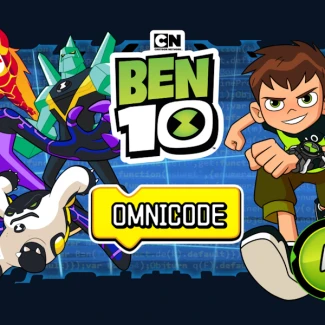
Ben 10: Omnicode
How to Play Ben 10: Omnicode
Help Ben navigate through each level by programming his moves in the correct sequence. Use your mouse to drag commands and preview the level layout to strategize your path.
Controls
- Mouse drag left or right to look around the level
- Click and drag commands to create movement sequences
- Press the eye button to view the level from above
- Click 'Run' to execute your code and watch Ben move
Play Ben 10: Omnicode: Master Coding and Adventure Online
Step into the thrilling world of Ben 10: Omnicode, where you guide Ben through challenging levels by programming his movements and actions. Use logic and sequencing skills to help him jump, move forward, and avoid traps while collecting all Omnitrixes. Each level grows more complex, testing your coding abilities and problem-solving talents as you navigate obstacles and dangers. This brain-teasing puzzle adventure brings coding fundamentals to life in an engaging, action-packed experience.
Ben 10: Omnicode Gameplay and Features
In Ben 10: Omnicode, players create sequences of commands to control Ben's journey through various platform levels. Drag and arrange movements like forward steps and jumps in the correct order and quantity to overcome hazards and reach the end of each stage. The game offers a dynamic view mechanic that lets you drag the mouse left or right and use an overhead eye button to survey the level layout for better planning.
- Engage with coding concepts by sequencing precise moves to solve puzzles
- Collect all Omnitrix tokens scattered across each level for full completion
- Progress through increasingly difficult levels with more complex sequences
- Enjoy seamless HTML5 browser gameplay compatible with desktop, mobile, and tablets
- Instant play with no downloads or installations required
Tips and Strategies for Ben 10: Omnicode
To excel at Ben 10: Omnicode, carefully analyze each level's layout before creating your code sequence. Use the drag-to-look feature and eye button to plan the exact number of steps and jumps needed to avoid obstacles. Start with simple sequences and gradually build complexity as you master the controls. Focus on collecting all Omnitrixes, as they are key to clearing levels and advancing the story.
- Preview each level thoroughly using mouse drag and overhead view
- Test and refine your code sequences frequently to avoid mistakes
- Prioritize collecting all Omnitrixes for maximum progress
- Practice logical sequencing to prepare for tougher challenges ahead
FAQ
Is Ben 10: Omnicode free to play?
Yes, Ben 10: Omnicode is completely free to play online with no purchases required.
Can I play Ben 10: Omnicode on mobile or tablet devices?
Yes, the game supports desktop, mobile, and tablet browsers with full HTML5 compatibility.
Is this the original version of Ben 10: Omnicode?
This version follows the original coding adventure concept featuring Ben 10's Omnitrix challenges.
Do I need an account to play Ben 10: Omnicode?
No account or login is necessary; just open your browser and start coding right away.