- Adventure
- Adventure Time
- Apple and Onion
- Batwheels
- Ben 10
- Bugs Bunny
- Craig Of The Creek
- Fighting
- Grizzy & the Lemmings
- Gumball
- Jellystone
- Looney Tunes
- Mickey Mouse
- Mr Bean
- PAW Patrol
- Peppa Pig
- Puzzle
- Racing
- Regular Show
- Run
- Scooby-Doo
- SpongeBob SquarePants
- Sports
- Teen Titans Go
- Teenage Mutant Ninja Turtles
- Tom and Jerry
- Unikitty
- All Categories
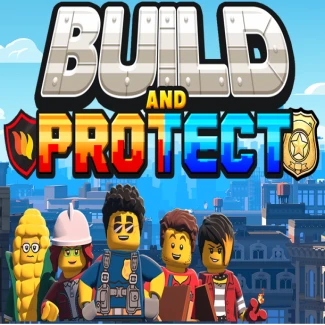
LEGO: Build and Protect
How to Play LEGO: Build and Protect
Use simple controls to build and defend your LEGO city. Navigate your character and interact with buildings to expand your metropolis and complete missions.
- Move: WASD keys or arrow keys
- Build/Select: Mouse click or touch tap
- Upgrade: Click on buildings and choose upgrade options
- Zoom/Rotate: Use mouse scroll or pinch on touchscreens
Game Controls Overview
Master these controls to efficiently manage your city and respond to challenges quickly.
- WASD/Arrow Keys – Move cursor or character around the city
- Mouse/Touch – Build, select, and upgrade structures
- Scroll/Pinch – Zoom in and out for better view
Play LEGO: Build and Protect: Construct and Defend Online
Step into the vibrant world of LEGO: Build and Protect, where creativity meets strategy in a colorful brick-built city. Manage your own LEGO metropolis alongside iconic characters like Solomon Fleck, designing everything from cozy donut shops to essential fire stations. As your city grows, collect coins to unlock new buildings and upgrades, facing fun challenges that test your planning and protective skills. Enjoy seamless browser gameplay with no downloads required, compatible across desktop, mobile, and tablet devices thanks to HTML5 support.
LEGO: Build and Protect Gameplay and Features
In LEGO: Build and Protect, players use intuitive controls such as WASD or arrow keys for navigation and mouse or touch input for building and upgrading structures. Your mission is to expand the city by strategically placing buildings that generate resources while defending them from threats. Each level introduces new challenges and objectives, pushing your creativity and quick thinking. Customize your city with multiple upgrades and unlockables that enhance both aesthetics and defense capabilities.
- Engage in city-building with intuitive mouse and touch controls
- Complete diverse missions to unlock new structures and upgrades
- Manage resources to expand and protect your LEGO metropolis
- Compatible with desktop, tablet, and mobile devices via HTML5
- No downloads needed—instant play directly in your browser
Tips and Strategies for LEGO: Build and Protect
Focus on balancing expansion and defense to keep your city thriving. Prioritize building structures that generate steady income early on, enabling faster upgrades and better protection. Anticipate challenges by placing defensive buildings strategically and upgrading them to withstand incoming threats. Utilize customization options to tailor your city’s layout for maximum efficiency and visual appeal.
- Start with income-generating buildings to fund upgrades quickly
- Upgrade defenses regularly to protect vital structures
- Experiment with layout designs for optimal space and resource flow
- Use keyboard and mouse controls for precise building placement
FAQ
Is LEGO: Build and Protect free to play?
Yes, LEGO: Build and Protect is completely free to play online with no downloads required.
Can I play LEGO: Build and Protect on mobile devices?
Absolutely, the game supports mobile and tablet devices with full HTML5 compatibility.
Do I need an account to play LEGO: Build and Protect?
No account or login is necessary; simply launch the game in your browser and start building.
Is this the original version of LEGO: Build and Protect?
Yes, this is the official version designed for smooth browser gameplay and instant access.