- Adventure
- Adventure Time
- Apple and Onion
- Batwheels
- Ben 10
- Bugs Bunny
- Craig Of The Creek
- Fighting
- Grizzy & the Lemmings
- Gumball
- Jellystone
- Looney Tunes
- Mickey Mouse
- Mr Bean
- PAW Patrol
- Peppa Pig
- Puzzle
- Racing
- Regular Show
- Run
- Scooby-Doo
- SpongeBob SquarePants
- Sports
- Teen Titans Go
- Teenage Mutant Ninja Turtles
- Tom and Jerry
- Unikitty
- All Categories
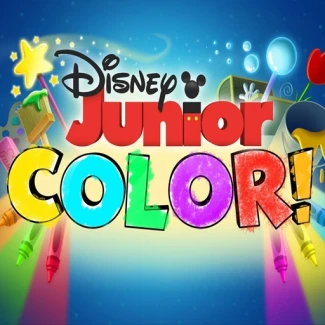
Disney Junior: Color
How to Play Disney Junior: Color
Begin by selecting your favorite Disney Junior character’s coloring page. Use the color palette and brush tools located at the bottom of the screen to fill in the sections with your chosen colors. The game is designed for easy, intuitive use on all devices.
Controls for Disney Junior: Color
- Mouse or touch: Select colors and paint by clicking or tapping on the image areas
- Use drag motions on touchscreen devices to color smoothly
- Keyboard arrows and WASD controls are not required
Play Disney Junior: Color: Creative Fun Online
Dive into a vibrant world where your imagination brings Disney Junior characters to life through colorful creativity. Select your favorite character’s coloring page and use a wide palette of colors and tools to craft your masterpiece. This HTML5 game works seamlessly on desktop, tablet, or mobile browsers with no download needed, making it perfect for quick artistic fun anywhere. Enjoy easy controls that let you paint with mouse clicks or touch taps, unlocking endless colorful possibilities.
Disney Junior: Color Gameplay and Features
Disney Junior: Color invites players to explore their artistic skills by coloring beloved Disney Junior characters using a variety of brushes and colors. The interface is user-friendly, allowing both kids and casual players to select tools and colors from the bottom panel and creatively fill each section of the illustrations. No complex controls are required, just intuitive clicking or tapping to paint and experiment with hues.
- Choose from multiple Disney Junior character coloring pages
- Use an extensive color palette and various brush tools
- Play instantly in any modern browser with HTML5 support
- Compatible with desktop, mobile, and tablet devices
- No downloads or registration required for instant play
Tips and Strategies for Disney Junior: Color
To make your coloring experience enjoyable and visually stunning, try blending colors and experimenting with different brush sizes for detailed sections. Focus on completing each page carefully to bring the characters to life with bright and harmonious colors. Remember to have fun with your choices, as the game encourages creativity over perfection.
- Use smaller brush sizes for detailed areas and larger brushes for broad strokes
- Experiment with color combinations to create unique effects
- Take breaks and revisit your artwork for fresh inspiration
- Play on a tablet or touchscreen device for more natural coloring control
FAQ
Is Disney Junior: Color free to play?
Yes, Disney Junior: Color is completely free to play online with no purchase necessary.
Can I play Disney Junior: Color on my mobile or tablet?
Absolutely, the game is fully compatible with mobile phones and tablets for convenient play on the go.
Do I need an account or login to play Disney Junior: Color?
No account or login is required; you can start coloring instantly in your browser.
Is this the original version of Disney Junior: Color?
Yes, this is the authentic Disney Junior: Color game designed for safe and fun online play.