- Adventure
- Adventure Time
- Apple and Onion
- Batwheels
- Ben 10
- Bugs Bunny
- Craig Of The Creek
- Fighting
- Grizzy & the Lemmings
- Gumball
- Jellystone
- Looney Tunes
- Mickey Mouse
- Mr Bean
- PAW Patrol
- Peppa Pig
- Puzzle
- Racing
- Regular Show
- Run
- Scooby-Doo
- SpongeBob SquarePants
- Sports
- Teen Titans Go
- Teenage Mutant Ninja Turtles
- Tom and Jerry
- Unikitty
- All Categories
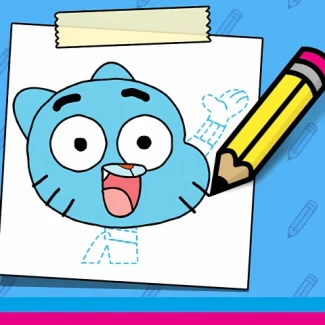
Gumball: How To Draw
How to Play Gumball: How To Draw
Use your mouse or touch screen to carefully trace the dotted lines of Gumball's body parts. Accuracy is key to making your drawing look like the original character. Complete all sections to see your creation come alive with color and animation.
Controls Overview
- Mouse: Click and drag to draw along the dotted lines
- Touchscreen: Use your finger or stylus to trace the outlines
- Keyboard: Not required; drawing is done with mouse or touch
Play Gumball: How To Draw: Master the Art of Cartoon Sketching Online
Dive into the creative world of Gumball as you learn to draw your favorite character step-by-step. This browser-based HTML5 game lets you trace dotted lines with your mouse or touch controls to capture every detail accurately. Complete each body part and see your drawing come to life with vibrant colors and subtle animations. Perfect for all ages, enjoy smooth gameplay on desktop, mobile, or tablet without any downloads or installations.
Gumball: How To Draw Gameplay and Features
The core mechanic revolves around using your mouse or touch device to carefully follow dotted outlines and recreate the iconic character of Gumball. Precision and patience are rewarded as the closer your lines match, the more authentic your final artwork appears. Once all parts are drawn, watch an animated version of your creation move gently, adding a delightful finishing touch. The game supports instant play on all modern browsers thanks to its HTML5 platform, ensuring easy access anytime, anywhere.
- Simple mouse or touch controls for seamless drawing
- Step-by-step body part tracing with dotted guides
- Animated character reveal upon completion
- No downloads required, play instantly online
- Fully compatible with desktop, tablets, and mobile devices
Tips and Strategies for Gumball: How To Draw
To excel in Gumball: How To Draw, focus on steady hand movements and follow the dotted guides meticulously. Take your time to ensure line accuracy as this directly influences the final appearance of your character. Experiment with different drawing speeds and techniques to find what works best for you. Remember, patience and attention to detail are key to creating a vibrant and lifelike Gumball drawing.
- Use slow, controlled strokes for greater precision
- Zoom in if possible to trace finer details accurately
- Practice tracing smaller sections before moving to larger parts
- Play on a touchscreen device for intuitive control options
FAQ
Is Gumball: How To Draw free to play?
Yes, Gumball: How To Draw is completely free to play online with no hidden costs.
Can I play Gumball: How To Draw on mobile or tablet devices?
Absolutely, the game is fully compatible with mobile and tablet browsers for on-the-go fun.
Is it safe to play Gumball: How To Draw without downloading?
Yes, this game runs instantly in your browser with no downloads, making it safe and hassle-free.
Do I need an account to play Gumball: How To Draw?
No account or login is required; just open the game and start drawing immediately.